This is the build story behind four annual-training courses and the custom learning management system (LMS) I built to deliver them.
My first plan was to develop online courses from the organization's presentations and deliver them through SCORM Cloud. As I walked through the administrative work with HR, though, the learning curve was steep for the person who would assign courses and keep the records. Those conversations led me to build a custom LMS around that work.
Two parts of the project took the most effort: planning learner sign-in and working through security assessments, and getting the course images right. Sometimes the image work came down to something as small as the shape of a glove.
How the courses and LMS took shape
The presentations gave me material to work from, and I also used government websites and publications to check it against authoritative sources. From there, I developed workplace decisions for learners to practice, with feedback that explained why a response made sense.
Some answers had to come from the organization. I needed it to confirm local procedures and which entities and locations the training would cover, including entities in other states. Those answers helped me work out what belonged in the courses and what needed further review.
I used ChatGPT Work to help me work through requirements, plan the courses and LMS, and review possible approaches. I used Codex to help build and test the changes, package the courses, and keep a record of the technical work. I directed the project and decided what to accept.
Prototypes gave those discussions something concrete to work with before a wider build or revision. For OSHA, I could compare visual treatments, narration pace, and pronunciation samples in a review prototype. For HIPAA, I worked through one scene and a small set of screens inside the course shell. Seeing those pieces together helped me spot problems with what an image communicated, how the audio lined up, and how much room the LMS player left for the content.
The LMS took shape through an early working version, branding review, and walkthroughs with HR. Trying the tasks gave me a clearer idea of what the administrator needed and where the design needed to change.
With courses and LMS changes moving alongside each other, I needed a way to keep track of the work. GitHub held the source files, standards, issues, and review decisions. Branches and pull requests let me review changes, and commits gave me a specific revision to connect to a package or test result. Later, I moved the LMS source into its own repository while course authoring, media, and the original release history stayed together in the course repository.
I packaged the courses in SCORM, a standard that lets a course exchange progress and results with a learning system. Each course is its own package, so I could test, replace, and release them one at a time.
Working through learner access and security
Those early versions gave HR and me something we could try. Planning how people would sign in, and checking the security of the LMS around that process, took much more work. Each learner needed to reach the right employee record and training history.
I used ChatGPT Sites to set up the LMS’s Cloudflare infrastructure and deploy the application. A Worker runs the application, D1 holds training records, and R2 stores course packages and resources. I added a dedicated subdomain under trainyourteams.com so the organization had its own address for employee training.
Supabase handles identity verification. A successful sign-in still has to match an active employee record in the LMS. Administrative actions also require the appropriate permission in the LMS. For email, I used Resend to deliver branded invitations and, through Supabase's custom SMTP connection, one-time sign-in codes. I also had to line up the LMS address with Supabase's site and redirect settings so those parts pointed to the right place.
I reviewed invitation acceptance and returning visits against those access rules, including what should happen when an account was inactive. Those cases gave me something specific to check as I worked through revisions.
I kept the security findings and test results with the release records, so I could follow what had been reviewed and what needed further attention.
Course uploads needed attention too. I added screening for possible protected health information (PHI), including electronic PHI (ePHI), before a package goes into course storage. Administrators acknowledge an acceptable-use policy, and the scan checks supported text files for things such as possible medical-record numbers, labeled birth or service dates, email addresses, and telephone numbers.
If it flags a package, the upload stops for review. Suspected PHI needs to be reported, and trying again requires an explicit confirmation that the flagged information is synthetic or properly de-identified. I also had to be careful about what went into the screening log. The LMS records the types of warnings and how many text files it checked, but leaves out the text that triggered those warnings.
That scan has limits. Images, PDFs, audio, and video still need manual review, so a clear text scan doesn't mean the entire package is free of PHI.
What HR and employees needed from the LMS
Alongside that work, I kept returning to the tasks HR and employees would perform in the system. The organization already had a visual identity, so I used its brand assets and asked ChatGPT to reference its corporate website for the look, feel, and colors. Blue remained the foundation, and I used orange more consistently for navigation, selected items, and emphasis. I kept the logo intact alongside the learning-system name and carried that treatment across sign-in, learner, and administrator screens.
The learner dashboard changed as I worked through what employees needed to see. An early version featured one assignment; I changed it to show a card for every assigned course. Employees can now see course status, availability, and due dates, with the appropriate option to start, continue, or review. The summary helps them see what remains, what's overdue, and which deadlines are coming up.
Beyond the dashboard, employees can open a page called My Learning for a fuller view of their courses. A separate Training transcript brings their completed courses together, showing completion dates, scores when the course provides them, and recorded learning time. Employees can also reopen completed courses for review when the course's availability and review settings allow it.
For HR, the work starts with people as well as courses. Administrators can import employees, maintain profiles with department and location details, mark accounts active or inactive, and upload or replace SCORM packages. I also gave them three course dates with different jobs:
| Course date | What it controls |
|---|---|
| Available From | When learners can begin opening the course |
| Due Date | The completion target used for overdue status |
| Available Until | The last day learners can open the course |
That lets HR set a deadline while leaving the course available afterward. Getting those dates right took a correction of its own: converting a stored midnight timestamp between time zones could make the screen show the previous day. I changed the handling to preserve the date HR selected and apply access boundaries in the organization's Eastern Time.
After importing 68 learners, I found that assigning them to four courses required 272 individual Assign clicks in the original interface. I added bulk assignment so HR could select learners, review the recipients, and confirm the assignments.

HR needed records it could keep outside the system and asked for a CSV download for audit evidence and reporting. I added that download and a formatted PDF report. For supporting material, the shared resource library lets administrators organize documents and web links into categories, while employees can search, filter, download attachments, or open linked resources.
Getting the images to tell the right story
The LMS was one part of the build. Inside the courses, I was working through how to show the situations and equipment learners needed to recognize. That brought a different kind of rework.
I wanted raster illustrations such as PNGs, and I often had to steer the tools away from code-drawn SVGs, especially for small personal protective equipment (PPE) graphics like gloves. A glove sounds simple until you look closely: I worked through the outline, thumb, cuff, and finger shape so it remained recognizable at course size and fit the other equipment illustrations.
Early SVG study
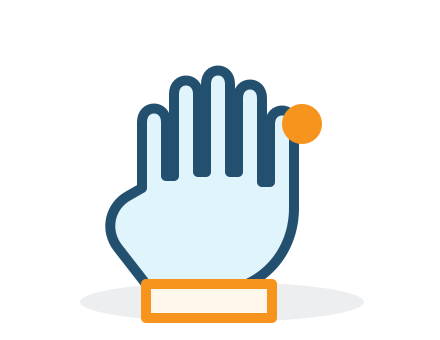
Standalone exploration
Approved PNG illustration
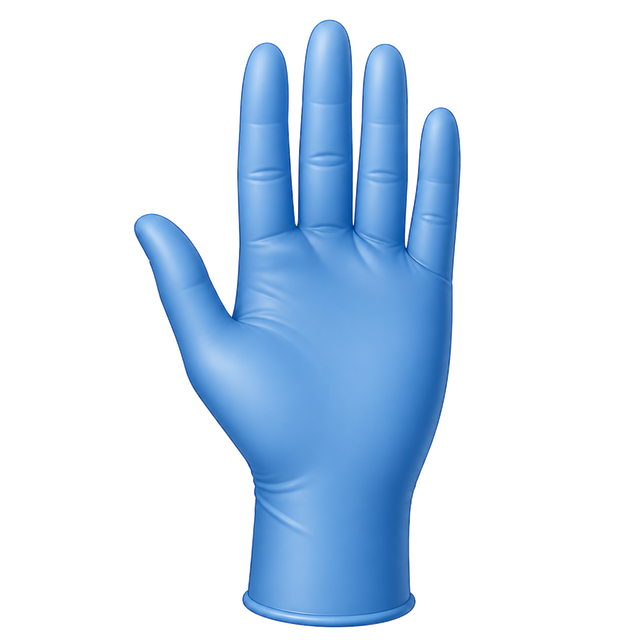
Added to a course review candidate
Sometimes the choice of image needed to change too. To show a clothing barrier, I chose a protective gown to replace a shield-and-check metaphor. I later put the approved transparent PNGs into a course review candidate and checked their placement at different screen sizes.
Larger scenes brought their own problems. In a Workplace Violence reception sequence, the same employee and visitor appear across three moments. The visitor begins on the public side of the counter, turns as the employee steps away, then moves into the counter-end route she is using to create distance.

The learner needs to notice the movement and the employee's changing options. Making the visitor look more threatening would change the basis for that judgment.
Getting the scene to communicate that took several attempts. A schematic SVG lost the approved illustration style. A later approach used a detailed fixed setting and separately controlled characters, but still looked like two people walking through open space. I returned to the approved reference and tightened the framing around the counter opening. I accepted the branding on the wall as suitable for the course, although it wasn't the visual treatment I would have preferred.
I then had to see those images inside the course, at desktop and phone widths, and refine when each moment appeared. The required facts remain available in text, with descriptive alternatives for the images.
Giving learners control of narration
The images also had to work alongside narration and the learner's interactions. I built the narration into the HTML course interface, with audio playing alongside the content and controls to play, pause, and resume. Captions appear as HTML elements within the course. In Workplace Violence, timed cues supply the words and timing while the course code updates the visible caption area.
HIPAA has a narration transcript that highlights the current sentence as the audio progresses, so learners can see which words are being spoken. This is separate from the LMS Training transcript that lists completed courses.
These details gave me more to check when I reviewed a course. The controls needed to behave properly after a pause or resume, and the captions needed to stay in step with the audio. Audio measurements helped with technical checks, while pronunciation, pace, meaning, and caption quality also needed human listening and review.
Testing the courses and LMS together
As the content and controls came together, I needed to see how they behaved in a course package and the LMS player. I made that process more explicit as the project developed. The original Bloodborne Pathogens course came before the shared technical framework and later became a validated reference for it.
I had to look at several connected parts of the experience:
- Working through the course: launch, navigation, required interactions, resources, media, partial progress, exit and resume, assessment where applicable, completion, session finish, and relaunch.
- Using different screens and controls: desktop and phone layouts, the space inside an LMS player, keyboard controls, accessible alternatives, and appropriate human screen-reader and media review.
- Checking the package: the source revision, exact ZIP, checksum, manifest, and resource paths, with fresh package checks and relevant retesting after a rebuild.
- Trying it in the delivery system: whether that identified package launches, saves, resumes, and reports its applicable results in the actual LMS.
The courses also have different completion rules. HIPAA, OSHA, and Workplace Violence use scored final assessments with an 80% threshold alongside required instruction and practice. Bloodborne Pathogens requires the exposure-response decisions and follow-up; its separate knowledge check is optional.
For LMS changes, I tested the built application and actual player locally, using synthetic identities, test data, and a local setup for storage and the database. The dedicated LMS repository also ran defined checks in GitHub Actions. Full course-package tests needed their own test data and setup. Anything that depended on an outside service needed checks against the hosted system.
I also kept a separate staging Sandbox, where I could try changes with synthetic learners and preserve the test history. I checked report and template downloads there and recorded successful invitation and fresh-code sign-in flows, keeping those results separate from production test records.
For the final course-package check, I used designated review courses in the production LMS before using that package in a learner-facing course. That let me check the identified package in the system where it would be delivered.
These checks found problems that mattered to the course experience. One Workplace Violence package imported and displayed its shell but stalled during launch. A later package let me reach a passing assessment result, but offered no route forward to Completion. Each finding meant working through the correction and bringing the revised package back for review.
Some of those findings led back into the LMS itself. I could replace a package and mark it current, yet an in-progress assignment would still launch the previous version. I changed it so active assignments use the current version for that training cycle, while completed assignments keep their historical version for review.
A defect in generated JavaScript also affected the connection between a course and the LMS. In local tests, I ran the generated script through the actual player and checked saving and resume in a fresh browser session. I also checked what happened when saving failed: the player stayed open with the pending values available for another attempt.
Approving and releasing the courses
Functional testing was one part of getting a course ready for release. For Workplace Violence, the release records include the Compliance Officer's approval of the requirements that applied to the assigned group. Human reviewers also accepted the narration and captions. I kept those approvals separate from the functional tests and my own release decision. With the release record, I kept the source revision, exact package, test results, target environment, and a package to use if I needed to roll back.
Where it stands now
The organization's VP of IT used Copilot as his development environment to create a Cybersecurity Awareness course and chose to deliver it through the LMS.
When its caption default needed changing, I edited the SCORM package he'd already supplied. I turned captions off by default while keeping them available for learners to enable. That saved him from making the fix, rebuilding and repackaging the course, and sending an updated package back to me.
The courses remain separate SCORM packages, and the organization plans to reuse them in the new HR system's learning module.